
AutoBak 2™
AutoBak 2 is a robust, lightweight C# utility designed for reliable, non-blocking backup of directory structures. It integrates advanced filtering and asynchronous execution to ensure efficient and controlled data migration and archiving.
SOFTWARE DESCRIPTIONS
Housi
12/16/20254 min read
AutoBak 2: Asynchronous & Filtered Backup Utility
AutoBak 2 is a robust, lightweight C# utility designed for reliable, non-blocking backup of directory structures. It integrates advanced filtering and asynchronous execution to ensure efficient and controlled data migration and archiving..
🔧 Features
✅ Asynchronous Job Execution: All I/O tasks run off the UI thread, ensuring responsiveness.
✅ Decoupled UI/IO Logic: The core executor is free of UI code (no direct popups/messages).
✅ Graceful Job Cancellation: Full support for aborting running jobs safely via CancellationToken integrated into recursive functions.
✅ Accurate Progress Reporting: Reliable progress updates are calculated based on a two-phase file count and reported safely to the UI.
✅ Two Transfer Modes: Supports both recursive Directory Copy and Filtered ZIP Archiving.
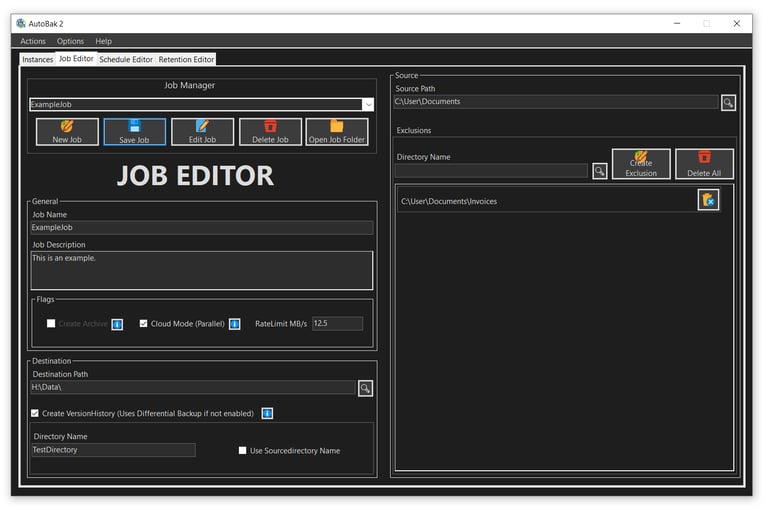
✅ Comprehensive File Filtering: Files and folders specified in Excluded Items are skipped during both counting and processing (copy/archive).
✅ Dynamic Destination Naming: Automatic creation of unique, timestamped target subdirectories (yyyy-MM-dd-HH-mm__Name).
🔄 Backup Modes
🛢️ Differential Backup (Mirror Sync): Copies only changed or new files based on size and last-modified timestamp. Automatically removes orphaned files from the destination (Mirror Cleanup), keeping source and destination as a true 1:1 mirror. Protected by an empty-source guard to prevent accidental deletion
📜 Version History Backup: Every run creates a new timestamped subfolder (yyyy-MM-dd-HH-mm-ss__Name). The most recent run is always stored as _latest and renamed on the next run, enabling full point-in-time recovery
📝 Detailed Description & Architecture Notes
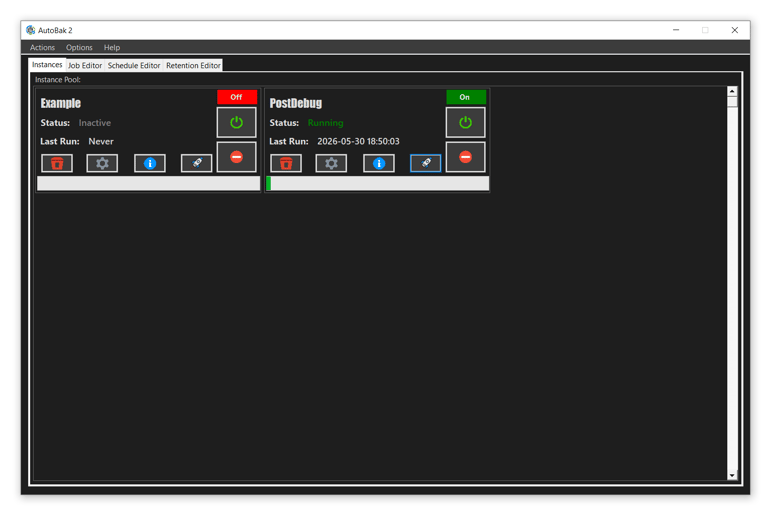
AutoBak 2 is a lightweight, high-control backup solution built on C# for Windows, designed for both individual use and enterprise deployment. The architecture enforces a clean separation of concerns across three distinct layers to ensure maximum stability and reliability.
🧠 Asynchronous Architecture & Performance
Its primary strength lies in its asynchronous architecture, which offloads all potentially long-running I/O tasks (such as recursive directory copying, filtered ZIP archiving, or mirror cleanup) to a background thread. This ensures the user interface remains responsive and usable even during extensive operations.
The scheduler (ScheduleDispatcher) runs as a persistent background task, independent of window visibility, evaluating and triggering instances on its own tick cycle.
🛡️ Operational Safety & Progress Tracking
The utility provides high operational safety through graceful job cancellation, allowing the user to immediately and safely abort any running job via an integrated CancellationToken built into all recursive functions.
Progress tracking is highly reliable: the system first performs an accurate file count, respecting all configured exclusions, before starting the transfer. This two-phase approach allows for precise, real-time progress reporting back to the UI.
🔒 Data Integrity & Filtering
AutoBak 2 guarantees non-destructive backups by employing dynamic destination naming, creating a new, timestamped subfolder for every single run. The logic for comprehensive file filtering is consistently applied across both the counting phase and the final data transfer phase, ensuring unwanted files and folders are never processed.
🏛️ Separation of Concerns
The core executor (JobExecutor) handles all I/O operations (including copying, archiving, cleanup, and throttling) with no direct UI dependencies. It solely focuses on execution and throws exceptions upon failure.
The UI layer (WinForms) is purely presentational: it reports progress, surfaces settings, and relays user intent, meaning it never drives execution directly. The UI handles all error messages, user prompts, and final status updates, ensuring overall system stability.
This architecture makes AutoBak 2 fully suitable for unattended operation on workstations and Windows Servers with Desktop Experience, including Server 2022 and 2025, with no external runtime prerequisites beyond .NET.
Scheduling & Automation
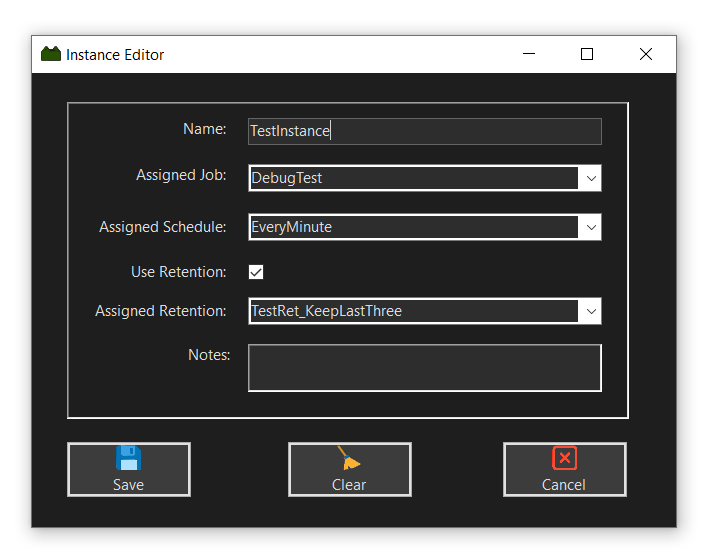
📅 Instance-based Scheduler: Jobs are wrapped in Instances and executed automatically by a background dispatcher. Each instance can be independently activated, deactivated, or triggered manually.
⏱️ Interval Scheduling: Run jobs automatically every N minutes, hours, or days.
📆 Weekday Scheduling: Run jobs on specific days of the week at a defined time.
⏳ Start/End Time Windows: Optionally restrict scheduling execution to a defined date and time range.
🧹 Retention Management: Automatically prune old versioned backups based on configurable retention policies (count or age), applied exclusively to Version History mode.
Filtering & Control
🔍 Comprehensive File Filtering: Files and folders specified in Excluded Items are skipped during both counting and processing phases across all backup modes.
🚀 Per-Job Bandwidth Throttling: Configurable rate limit in MB/s per job, implemented via a token-bucket throttler. This limit is shared across parallel threads in Cloud Mode, where 0 means unlimited.
📊 Accurate Progress Reporting: Reliable progress updates are calculated based on a two-phase file count (respecting exclusions first, then transferring) and reported safely to the UI.
📅 Dynamic Destination Naming: Automatic creation of unique, timestamped target subdirectories (yyyy-MM-dd-HH-mm__Name).
Monitoring & Logging
📋 Structured File Logging: Optional log file written to AutoBak2/logs/AutoBak.log with automatic size-based rotation. It logs job start, completion (files transferred or unchanged), failure (including the failed file path), and user-initiated aborts.
🔍 Job Source Tracking: Every log entry distinguishes between SingleExecution (manually triggered) and Automatic (scheduler-triggered).
🔔 Windows Balloon Notifications: Optional tray notifications for upcoming jobs (5 minute and 1 minute warnings) and job start events. These are spam-protected per instance and suppressed for jobs with intervals shorter than the warning threshold.
🔌 Extensible Sink Architecture: Logging is built on an ILogSink interface, ready for additional sinks (such as HTTP, Syslog, or custom monitoring protocols) without touching existing code.
UI & Settings
🌙 Dark Mode Support
📦 Start in Tray Option: Launch directly to the tray on Windows startup without showing the main window.
⚙️ Autostart Integration: Optional registry entry under HKCU\... for automatic startup, configurable directly in settings with no installer required.
📂 Configurable Data Path: All configuration, job definitions, schedules, retention policies, and logs are stored under a user-defined root directory, supporting optional live migration of existing data.
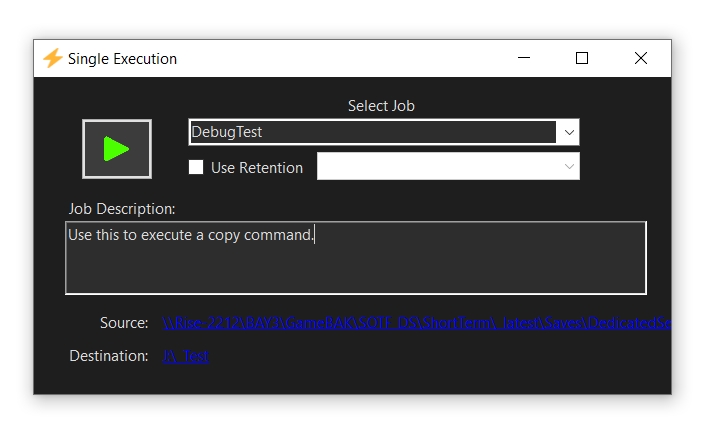
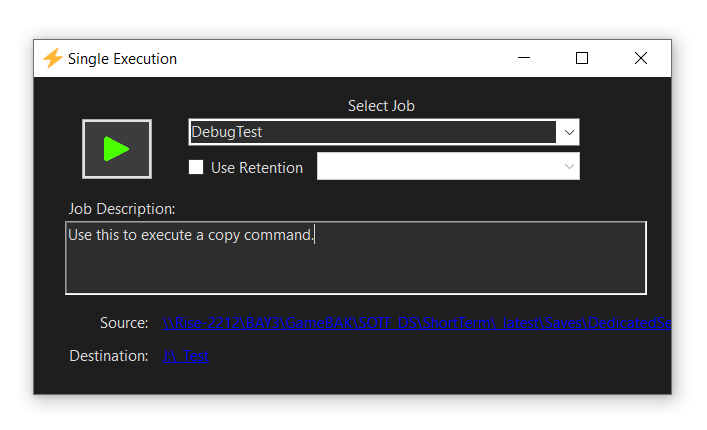
⚡ Single Execution Mode: Run any configured job immediately with an optional retention override, completely outside of the scheduler.
💳 License System: Integrated license validation and activation via LiSeGate. Trial mode restricts licensed features, while activation persists across sessions.
Contact
Socials
Need Help?
©2026 ReHoGa Interactive