
AutoStage
AutoStage is a professional-grade staging utility for IT administrators and power users, designed to radically accelerate Windows system setups. It combines application deployment, firewall management, and system-wide tweaks into a single, high-performance interface.
SOFTWARE DESCRIPTIONS
Housi
2/16/20263 min read
AutoStage
Deployment & System Staging Powerhouse
AutoStage is a professional-grade staging utility for IT administrators and power users, designed to radically accelerate Windows system setups. It combines application deployment, firewall management, and system-wide tweaks into a single, high-performance interface.
Forget manual installations and tedious registry edits. AutoStage automates your workflow — organized, parallelized, and precisely controlled.
🔧 Features
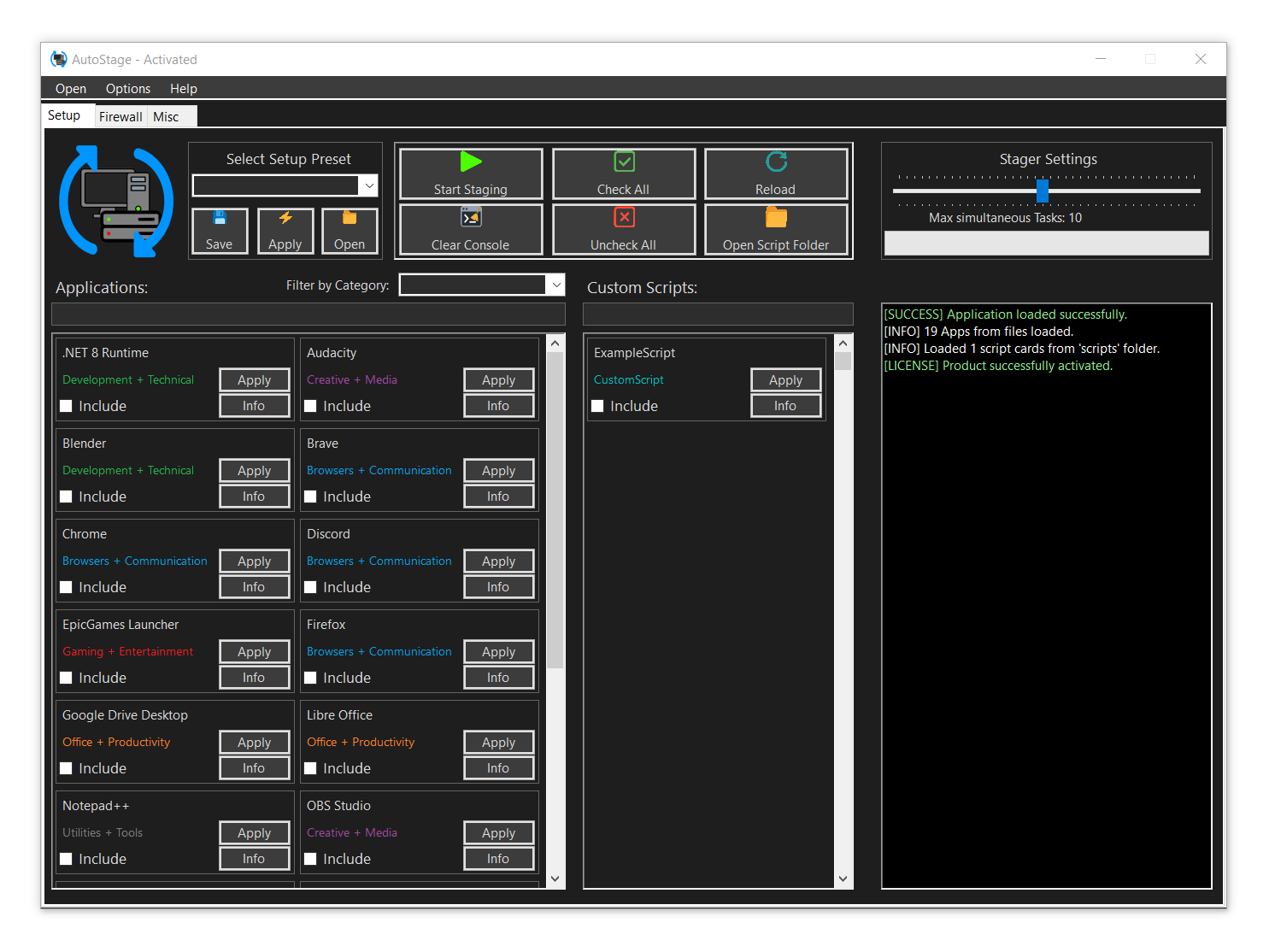
✅ Multi-Threaded Staging — Install apps and run scripts simultaneously with a configurable limit for maximum performance.
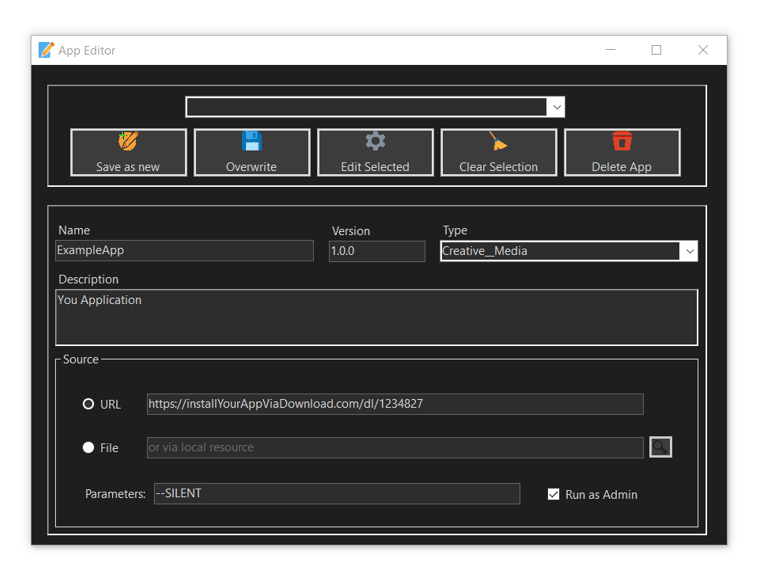
✅ Advanced App Management — Create custom app definitions (JSON-based) for local files or web-hosted installers.
✅ Integrated Firewall Suite — Create, edit, and manage Windows Firewall rules (XML-based) with a dedicated editor.
✅ System Tweak Engine — Change hostnames, RDP ports, dark mode settings, or explorer options with a single click.
✅ Preset Architecture — Save complex setups as presets for app lists, firewall rules, or system configurations.
✅ Custom Script Support — Full integration for .ps1, .bat, .vbs, .py, and more directly from the customScripts folder.
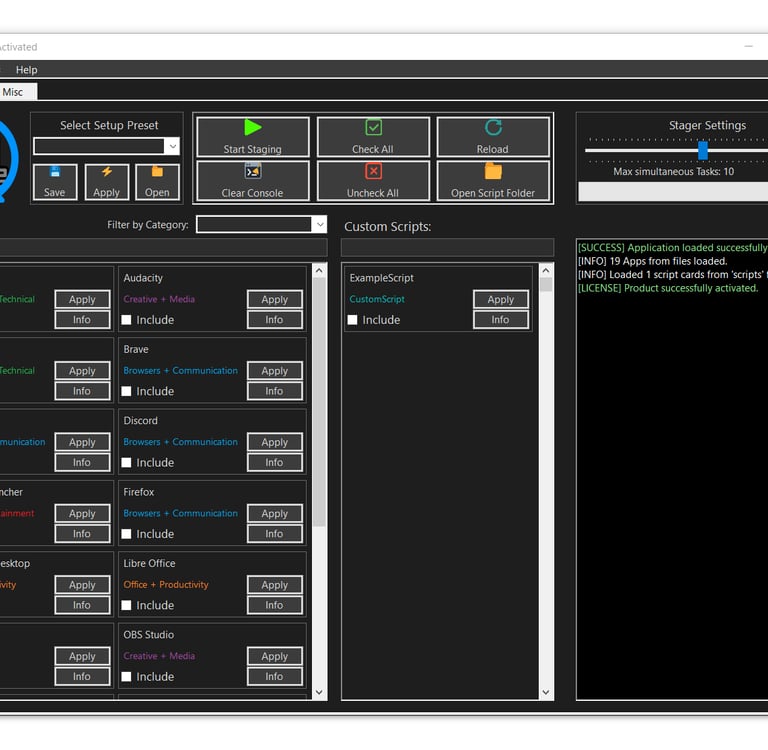
✅ Real-time Console Output — Color-coded logging (Success/Info/Error) for total transparency during the staging process.
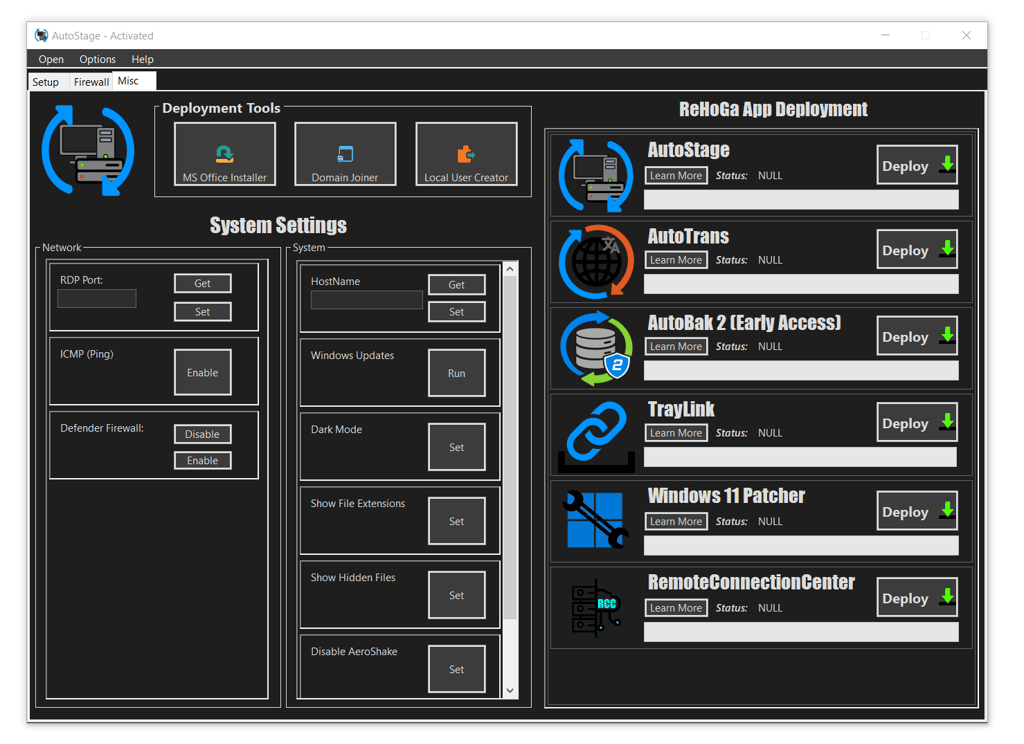
✅ Direct ReHoGa Software Suite Deployment — One-click access to deploy the full range of ReHoGa Interactive tools like AutoTrans, TrayLink, AutoBak2, and more.
📁 Supported Action Types
APP — Automated installation of MSI and EXE files with silent support.
SCRIPT — Execution of PowerShell, Batch, Python, or VBScript.
FIREWALL — Import/Export and activation of complex port and protocol rules.
SYSTEM — Direct manipulation of Windows services and registry configurations.
PRESET — Combinations of all above types for one-click deployments.
⚙️ System Functions
AutoStage goes beyond simple installers by giving you direct control over core Windows behavior and security settings:
Network & Remote Access — Instantly get or set custom RDP Ports, manage ICMP (Ping) status, and toggle the Windows Firewall state globally.
Identity & Naming — Read and update the System Hostname without digging through deep Windows settings menus.
UI & Productivity Tweaks — One-click toggles for Dark Mode, showing Hidden Files, and displaying File Extensions.
Distraction Removal — Quickly disable "Aero Shake" and suppress the annoying "Sticky Keys" popups that interrupt your workflow.
AutoTrans Deployment — Built-in marquee-tracked deployment for the AutoTrans engine to bridge system-specific automation tasks.
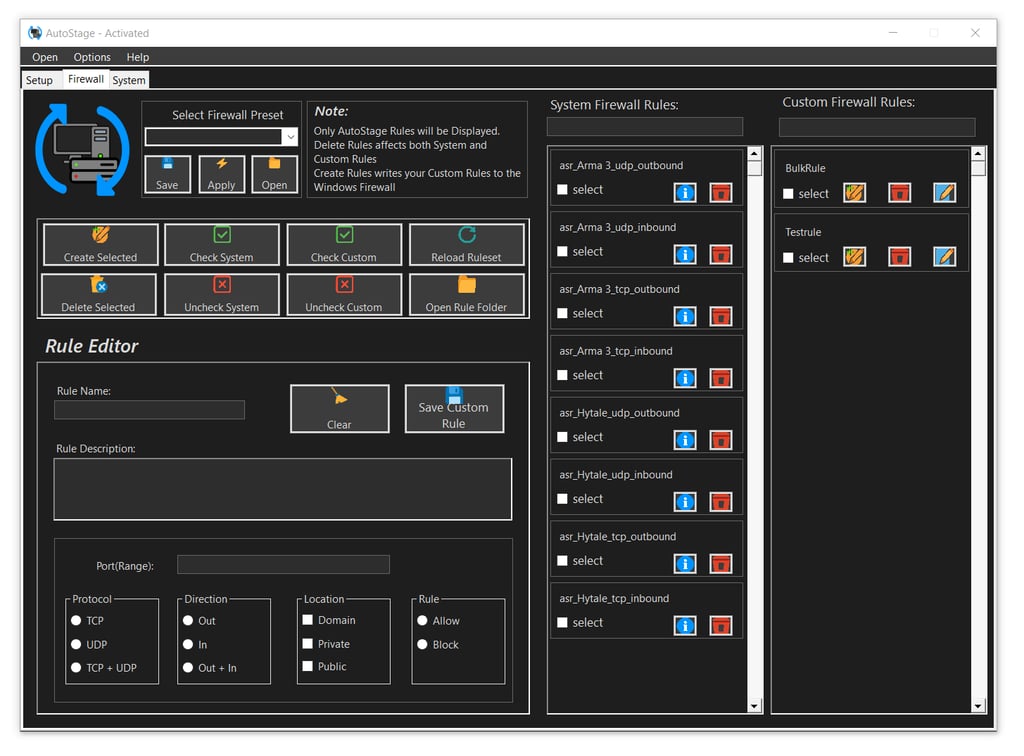
Custom Firewall Rules — Manage both System Rules and Custom Rules with a real-time search filter and bulk-action support (Check/Uncheck/Delete).
🛡️ Firewall Editor
The Integrated Firewall Suite in AutoStage provides direct, low-level access to the Windows Filtering Platform, combined with a robust XML-based template system.
XML-Based Rule Portability — Export and import your complex rule sets as human-readable XML files. Share templates across multiple machines effortlessly.
Smart Validation Engine — Built-in safety checks prevent the creation of incomplete rules by enforcing mandatory fields (Name, Port, Protocol, Action, Direction, and Profile).
Direct COM Integration — Uses HNetCfg.FwPolicy2 for instant, programmatic rule injection without relying on external shells.
PowerShell Fallback Injection — Includes a specialized InjectRules handler for legacy support, utilizing administrative PowerShell commands for OS-level hardening.
Intelligent Rule Tagging — Automatically prefixes custom entries with asr_ to keep your system firewall organized and searchable.
File Collision Handling — Smart I/O logic detects existing rule files and offers overwrite protection to prevent accidental data loss.
🌐 Enterprise Infrastructure & Identity
AutoStage bietet spezialisierte Module für die nahtlose Integration von Systemen in Unternehmensnetzwerke und die automatisierte Benutzerverwaltung.
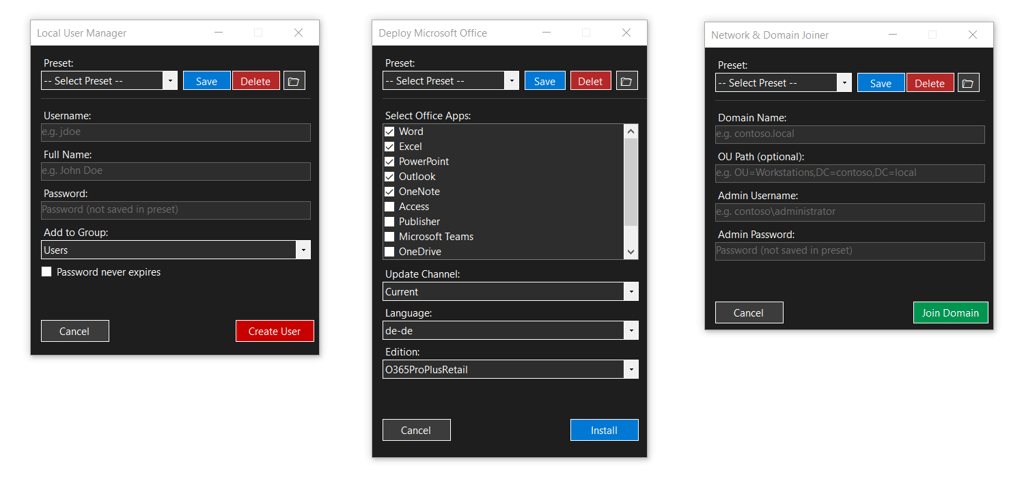
Active Directory Domain Join — Effortlessly connect workstations to a domain using the JoinDomainOrWorkgroup WMI method. Supports custom OU paths and ensures high reliability through direct programmatic execution.
Local User Manager — A clean, specialized interface for creating local accounts. Set usernames, full names, and secure passwords while assigning users to specific groups language-independently via global SIDs.
Microsoft Office Deployment Tool (ODT) — A powerful wrapper for the official Microsoft ODT engine. Automatically downloads the installer, extracts the setup, and generates custom setup.xml configurations for silent, tailor-made Office staging.
Contact
Socials
Need Help?
©2026 ReHoGa Interactive